Category: Blogging

  • Perfectionism and procrastination

    My last post was apparently in February. I had a whole series of posts in mind. Probably I’m not the only one who keeps “forgetting” to post on their blog. This happens for all sorts of reasons, and in my case it’s mostly due to perfectionism and procrastination.

    There are four draft posts waiting to be finished, I’ve been editing them for quite some time, never found the right tone, they were never good enough. I let them rest for a bit, came back, and still couldn’t manage to finish them. It’s not even about what other people might think of what I wrote, it’s about what *I* think of what I wrote. When it comes to writing blog posts, I’m my own greatest enemy. I even tried asking AI to help me edit a post (edit, not write!), but as expected – I’m not a fan of AI, for all sorts of reasons – it only got worse.

    Will those four posts ever get published? Maybe, maybe not… Do I suck at writing blog posts? Absolutely! Does that mean I should stop writing them, or even stop trying? Absolutely not! If I’d stopped trying to write letters in primary school, I wouldn’t be able to write today. If I’d stopped trying to walk as a toddler, I wouldn’t be able to walk today.

    I’ve no idea yet where my blog will head to in the future. Not sure if I’ll end up posting regularly or occasionally. Not sure if it will still (all) be tech related, or (also) about other stuff. If I make myself decide about a direction first, that means that I block myself from posting about other stuff, and I don’t need any more barriers.

    What I think I need, is to keep going. I recently told a friend who picked up drawing after a long hiatus, and who keeps a sketch book, to not throw away the sketches that she considered a failure. If she’d browse through them later on, those sketches help seeing the progress. To me, that’s the main reason I’m not – again – deleting all my old posts and starting over. What’s published is published. At the same time, I will not let those older posts keep me from posting about crochet, pets, home improvement projects or whatever might come up.

    Instead of viewing my blog a bit as a growing book, about one subject, from now on, it’s more like doodling. This gives me the freedom to write about whatever I feel like writing about. If it ends up going into a certain direction, that’s fine, if not… fine too!
  • Moved

    From the outside it’s hardly noticeable, but this site has moved. I’m trying to move away from US based services, and instead use European based ones as much as possible. Because of this, the site is no longer on GitHub, but now on a server at Hetzner, in Germany.

    Previously I used Hugo, and if that’s hosted on GitHub, you can set it up so that you push your Markdown file, and then it automatically deploys. This meant that I could post from a laptop, a tablet, and even from my phone if I really wanted to.

    Due to moving to a self hosted server, this would no longer be possible unless I did some hacking. I didn’t feel like setting that all up, so I opted to install WordPress, chose a very minimal theme and was done with it. Given how rarely I post, I wanted things to be simple. I know WordPress has a lot more overhead, but for me, as the user of this system, it’s simple.

    In the future I might post a bit more about moving to European services / servers.

  • Metrics

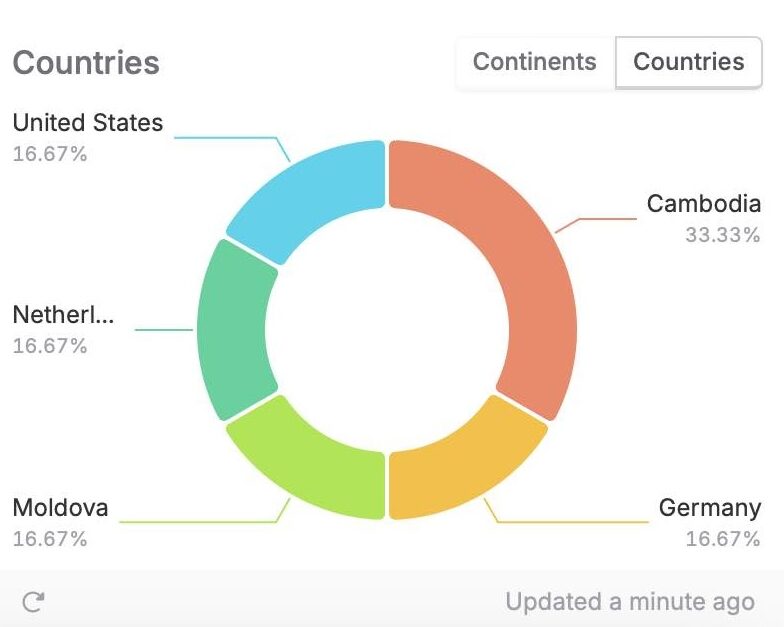
    It’s always fun to see if people visit your site or blog. It can be useful too, so you know what subjects are popular. I mostly just write for fun, but if you’re aiming for results, you’re going to need some data.

    TelemetryDeck

    The minute you’re adding analytics tools to your site or app, however, you’re dealing with your visitor’s / user’s privacy. I prefer to use tools that treat user data with care. In the case of this blog, which is made with Hugo1, I’m now using TelemetryDeck. I like that TelemetryDeck does not collect any personally identifiable information. On top of that, up to 100K signals per month, it’s free to use. (And no, I don’t have stocks, I just really care about privacy, and I know the people at TelemetryDeck do too!)

    Implementing TelemetryDeck on Hugo

    I started by reading their Web Setup Guide which looked really simple and easy. I cheered a bit too soon, because I couldn’t find how to add a script to the <head> section of every page.

    What I ended up doing – and I think this works for all Hugo themes – is this:

    • In the root of your repo, find the folder named themes\<your-theme>\layouts\partials\ (in my case <your-theme> is hugo-flex)
    • Copy the file load_site_assets.html from there to layouts\partials\load_site_assets.html
    • Open the file, go to the bottom, add a newline, and add put the script that’s mentioned in the Web Setup there.
    • Save, commit, push, and done!

    As ever so often, figuring this out was more work than actually pasting it in.

    1. This site is now no longer running on Hugo, but on a WordPress instead. ↩︎
  • Hacked

    As I wanted to set up my new blog, I found that past me already created a repo on GitHub1 for it. There was only an index.html with the words “Hello world!”. So far, so good. But when I used my custom domain name, I ended up on some vague gambling site, which was definitely not mine. Was I hacked? How was this possible, I set up 2FA everywhere?!

    First I checked at my domain hosting provider (Hover). Everything looked normal there. And the direct link to my GitHub Pages looked fine too. I noticed that the custom domain name in the settings of my blog’s repo wasn’t filled in, so I did that, but couldn’t save my changes. That domain name was already taken. WHAT?! This is my domain!

    I now suspect that I never filled in the custom domain name that I had, because there was no real content on the blog yet. If someone (likely a bot or a script) then scans a list with domain names, checks if they redirect to a GitHub Pages IP address, and then notices there is no actual site connected, they can fill in that domain name on another GitHub Pages repo. There they can either host their site, or more likely, set up a redirect to whatever site they want to promote.

    Luckily this can be avoided. For one, you should (apparently 😅) always make sure that your custom domain name is filled in at your repo’s settings, if you point your website to a GitHub Pages repo. Ideally, you should also verify your custom domain. That way only repositories owned by your personal account / your organization can be used to publish a GitHub Pages site to the custom domain or its immediate subdomains. Verifying my domain also meant that I could reclaim it.

    1. This site is now no longer hosted on GitHub. Instead it’s moved to WordPress, hosted by Hezner ↩︎
  • Hello world

    Today I set up my new blog. While doing so, I found that my custom domain redirection was hacked. Also, I’m afraid that tomorrow I don’t remember how to do this anymore. Maybe I’m getting too old for this.

    👵🏻

    Test inline code test

    Test this is a code block